Getting Started
ChemShell
ChemShell is a feature rich multiscale chemical modelling environment that leverages the power of python scripting to design workflows encompassing a range of quantum mechanics (QM) and/or molecular mechanics (MM) software packages into a one-stop analysis tool. Focussing on multiscale simulation of complex systems using combined QM/MM methods it is fully scalable from your desktop to massively parallel supercomputers. ChemShell provides a suite of advanced modelling methods for geometry optimisation, energy surface mapping, molecular dynamics, monte carlo, free energy methods, excited states and more, all available for quantum, classical and hybrid QM/MM calculations.
AiiDAlab
AiiDAlab adapts the highly popular AiiDA workflow management platform to provide an enhanced user interface (UI) based platform for carrying out complex computational scientific workflows. This plugin is designed to expose several common workflows utilising the ChemShell multiscale modelling software with a convenient and user friendly step-by-step approach.
Running AiiDAlab
It is generally recommended to run AiiDAlab through a container engine such as Docker or Apptainer,
details on how to use Docker to run AiiDAlab can be found in the
AiiDAlab documentation.
Adaptations of the AiiDAlab docker images for use with other container engines such as Apptainer
are discussed in the
Ada Lovelace Centre’s AiiDAlab Development Guide.
In general the core docker image applicable to most use cases is aiidalab/full-stack:latest
however, many other options exist for more tailored startup environments.
AiiDAlab provides a python module which encapsulates the creation and management of the required
containerised environments for running AiiDAlab instances and controlling the AiiDA database
configuration. This can be installed through pip as,
pip install aiidalab-launch
with further details given in the documentation.
AiiDAlab ChemShell Containers
Multiple docker images are provided with this repository which build on the core foundation of the images provided by AiiDAlab bundling various components of the ChemShell workflows on-top of the core AiiDAlab application. At present two images are available; base includes the AiiDAlab ChemShell plugin pre-installed including all required dependencies, full builds upon the base package including a working installation of ChemShell (version 25) configured with DL_POLY, NWChem and PySCF as available backends.
To run one of the provided containers, first install and setup your desired container engine, then run the image as follows,
docker run -it --rm -p 8888:8888 -v $HOME:/home/jovyan ghcr.io/stfc/aiidalab-chemshell/base:latest
The additional run parameters will run the container interactively (-it), delete it when it is finished
(--rm), expose the required port for the jupyter notebook instance (-p 8888:8888) and the final flag
(-v) binds the home directory into the containers home directory so data can be made available and will
persist beyond the container instance. For a more detailed description on how to configure
containers for AiiDAlab see https://stfc.github.io/alc-ux.
ChemShell Plugin
This AiiDAlab plugin is based around running workflows with the ChemShell multiscale chemical modelling software alongside providing UI components for managing common AiiDA components and tasks. The core component of the plugin is the calculation workflow wizard which enables the configuration and computation of several common scientific workflows with enhanced visualisation for inputs/outputs and convenient workflow configuration options. A general outline of the application is given below with more details on the workflow configuration and AiiDA resource management steps given in ChemShell Workflow Configuration and Resource Management respectively.
Home Page
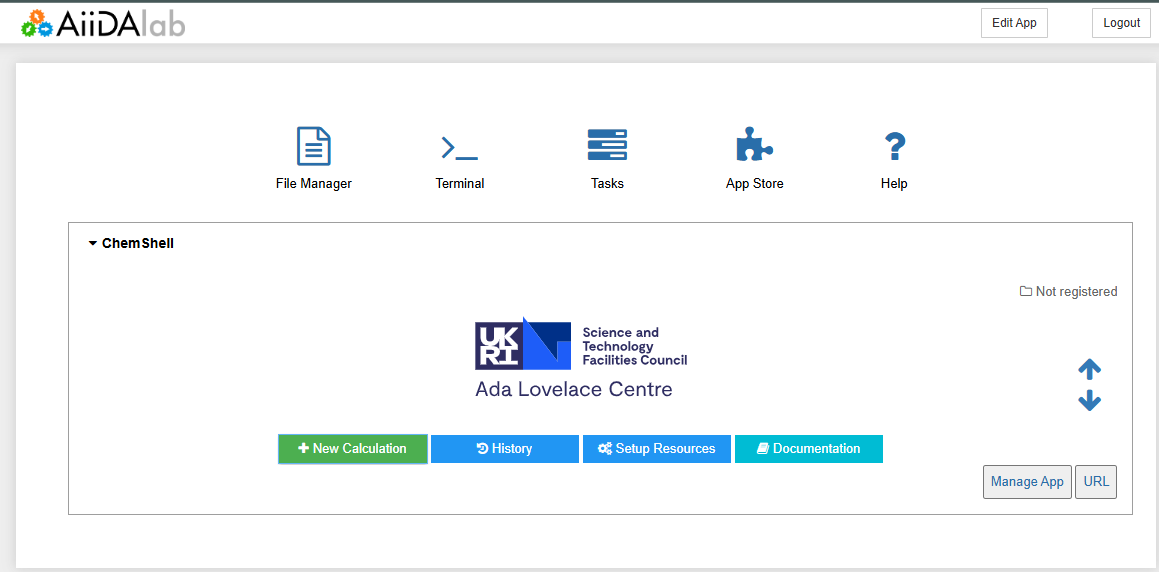
When the AiiDAlab application is first opened up in a browser it defaults to the AiiDAlab home page which consists of some buttons to access general functionality including a terminal within the container instance and a store front for installing/managing plugins. Below these navigation components exists a list of banners for each plugin that is installed and registered in the current system. This is where users will access the specific plugins for ChemShell and other available workflows.
The ChemShell plugin displays a simple start banner with several options for accessing different components within the plugin application.
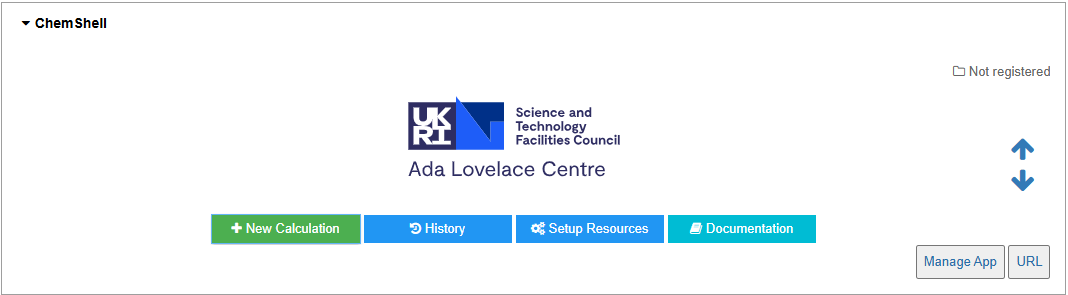
The navigation buttons access the following pages:
New Calculation -> Accesses the main workflow submission page. (ChemShell Workflow Configuration)
Batch Calculation -> Accesses the batch processing page for running a single point energy calculation across a set of structures. (Batch Processing)
History -> Accesses previous calculations and their results. (Calculation History)
Setup Resources -> Accesses the AiiDA computer/code setup page. (Resource Management)
Documentation -> Link to this documentation.
Each of these pages is described in more detail throughout this documentation.