Data input page
Data Input Page
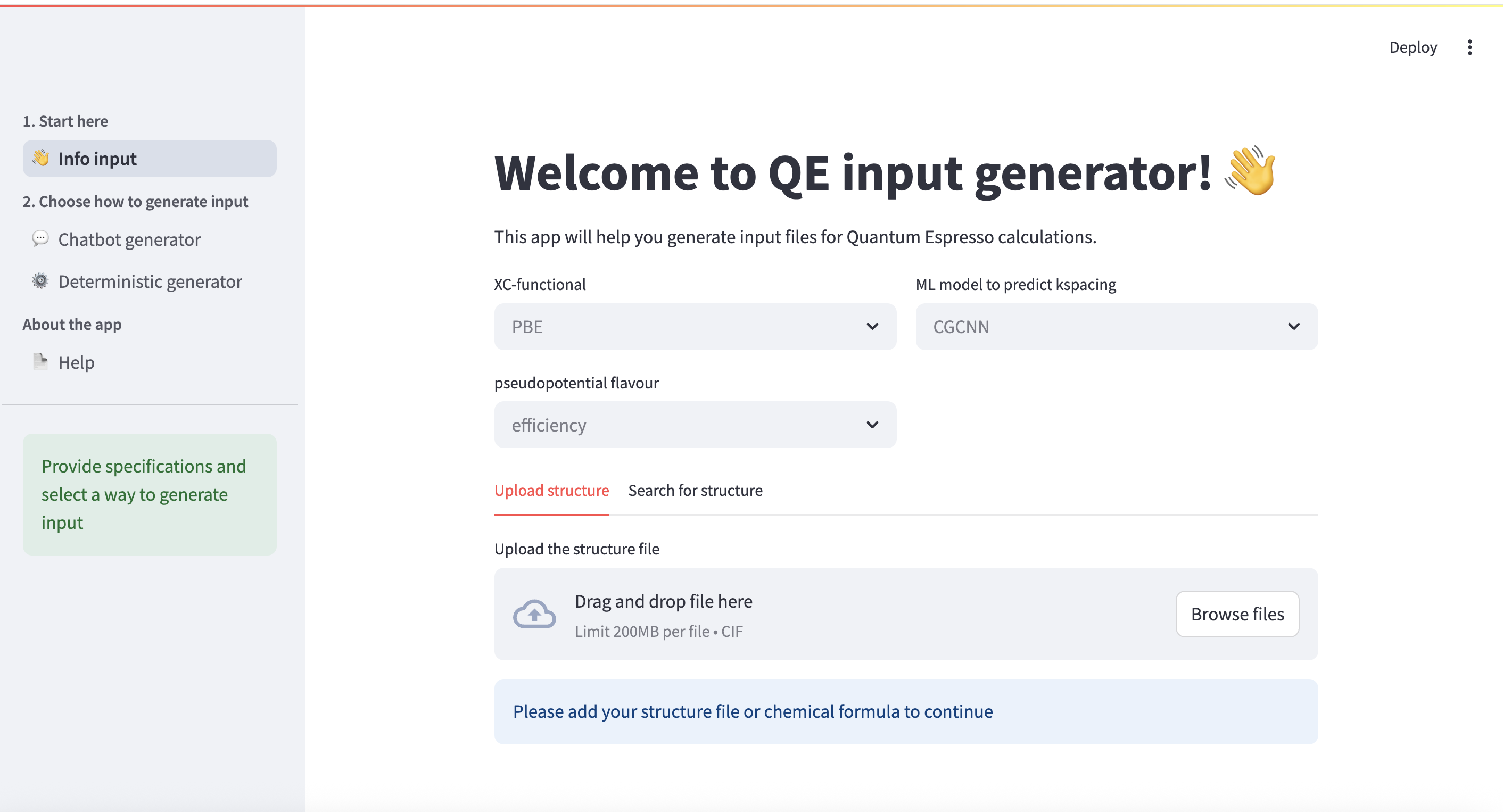
To generate an input file, you need to specify some information first. The data input page is shown below.
Required Parameters
The default parameters are shown in grey. You need to choose:
- XC-functional: Currently only PBEsol is available
- Pseudopotential flavour: Choose between 'efficiency' or 'precision' modes
-
ML model: Select the machine learning model for k-point prediction:
- RF: Random Forest model (faster, good for most cases)
- ALIGNN: Atomistic Line Graph Neural Network (more accurate, captures bond angles)
-
Confidence level: Choose the confidence interval for k-point prediction (0.95, 0.9, or 0.85)
This application uses the SSSP1.3 library of pseudopotentials, so options are limited by this choice.
Structure Input
The structure can be provided in two ways:
- File upload: Upload a structure file in
.cifformat - Database search: Search for structures in free materials databases:
- MC3D: Free, no API key required. PBEsol-v1 structures are used.
- Jarvis: Free, no API key required
- Materials Project: Requires registration to get a personal API key (*)
- OQMD: Free, no API key required
Structures from databases can be modified to: - Primitive cell - Supercell - Niggli reduced cell
Generating Input Files
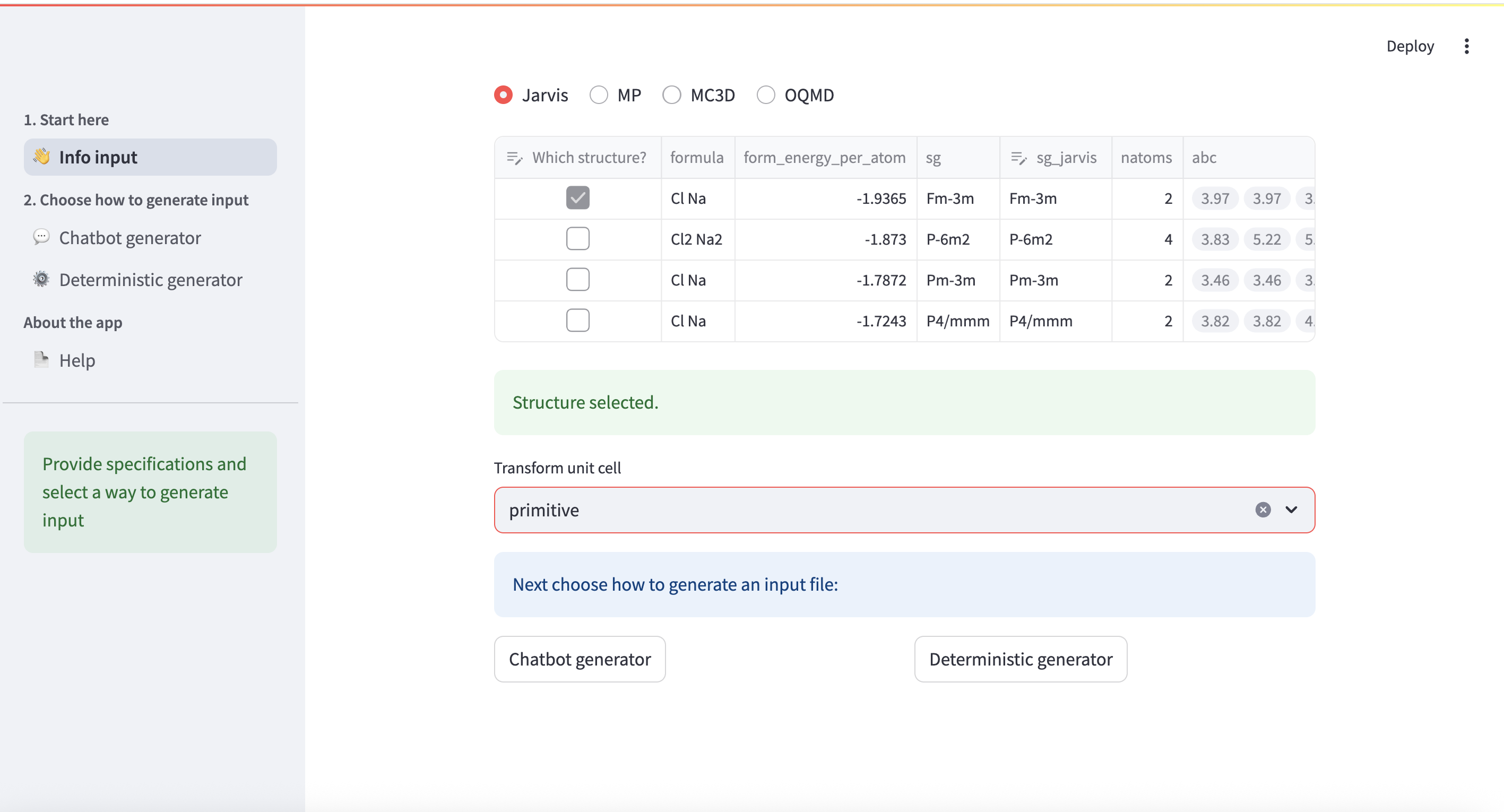
When all required information is provided, two buttons appear at the bottom of the page: - Chatbot generator: Generate input using LLM assistance - Deterministic generator: Generate input using deterministic ASE-based method
These pages can also be accessed via the sidebar.
(*) Materials Project database requires registration to get a personal API key. You can obtain one at https://materialsproject.org/api.